Posts

Troubleshoot Tips: Kindle Stuck on Fire Screen

Image
Does your Kindle Fire not work well? Are you facing Kindle stuck on fire screen issue? Do you want to troubleshoot Kindle stuck on fire screen issues? If Yes, you have landed at the right place. Here, you will get to know the way to solve the Kindle fire issues by following some simple steps. Let’s get started. Kindle Fire is Amazon’s best tablet that comes with excellent features. It bridges the gap between laptops and smartphones by introducing an amazing design. It is a sophisticated device having a smaller memory and slow processor than modern computers. But some issues continually reduce the high-performance features of this device such as Kindle stuck on fire screen, constantly crashing, drained battery, the device turns off or on itself, and many others.   Steps to Fix Kindle Stuck on Fire Screen Issue Following are some simple steps that you need to follow to resolve the Kindle stuck on fire screen issue: Resetting Kindle Device If your Kindle fire is stuck or...
Why is My Kindle Fire not Connecting to WIFI?

Image
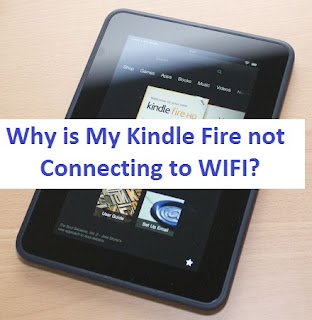
Struggling to connect Kindle to WiFi ? Continuously facing the WiFi connectivity issue with your Kindle Fire? Well, this article will help you in providing the solutions to these questions. You just need to scroll down and go through all the things mentioned in it. If you are already a user of Kindle Fire, you are aware that this device does not work without a WiFi connection. In fact, if you have an internet connection with a slow or poor speed it would not work properly. To use Kindle Fire efficiently, you first need to establish a seamless internet connection through your gadgets such as computers, laptops, etc. You can’t browse anything without having a WiFi network.   Troubleshooting Tips to Connect Kindle to WiFi There are different reasons that Kindle fire not connecting to WiFi such as authentication failure. To fix this issue, you firstly need to know the exact Kindle version that you are using as different versions have different methods to resolve the issue of Wi...

Complete Solution for Kindle Fire Email Problems

Image
Struggling to set up the Kindle Fire email? Are you continuously facing Kindle Fire Email problems? Want to know the steps to set up an email on Kindle Fire? Well, you are at the right place! Most of you are familiar with the Kindle Fire email app and the way it works with Yahoo, Gmail, iCloud, and AOL. If you are not, this article will help you to know the way it works and how to set up Kindle Fire Email within few minutes. Amazon Kindle is a platform where you get the collection of e-books and e-magazines mainly created for readers and book lovers. Amazon Kindle device allows the users to browse, download, purchase, and read e-books, newspapers, magazines, and other digital media using wireless networking to the Amazon Kindle Store.  Nowadays, an email will become the most important part of our daily life and no one can think of their life without it. Those days are gone when we need computers to send and receive emails. Today, you can access email from any device. You can also d...

How Do I Set up My New Amazon Fire Tablet?

Image
 Have you purchased a new Amazon Fire Tablet? Are you setting up Kindle fire for the first time? Want to know how to set up your Kindle account? Here, in this article, you will know the answers to all of these questions. You just need to scroll down and read all the instructions carefully. Amazon Kindle Fire which is also known as Fire HD a member of Amazon’s touchscreen tablet which you can use for travel, work, or entertainment. To setting up Kindle Fire, you need a stable internet connection so that you can register your Kindle to Amazon account. After setting up, you can read, browse, view emails, and many more.  In several cases, Amazon will have pre-registered Amazon account to the device so that you do not need to register it by yourself. You need to create and set up Kindle fire if you do not have an Amazon account. Also, you have to set up the language, country, time zone, and WiFi connection during the setup process.  Guide to Setting Up Kindle Fire Look at the ...

Troubleshooting Tips for Kindle Paperwhite Problems

Image
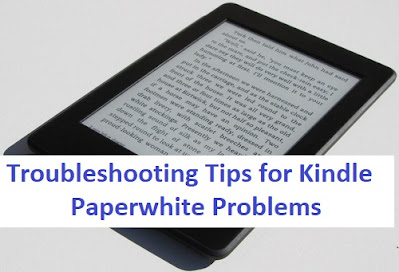
 Does your Kindle Paperwhite not work properly? Well, to troubleshoot the Kindle Paperwhite problems, you need to perform the troubleshooting. Most of the user’s complain that they face the problem with their Kindle Paperwhite. There is a possibility that you may experience a lot of issues with your Kindle device with time such as the device not responding, low battery errors, and many more. The solution to these problems is not difficult. There are a few steps that you need to follow to make your device work again. Scroll down to know the troubleshooting tips for your Kindle Paperwhite.   Common Kindle Paperwhite Problems and Their Solutions 1. Can’t Charge My Kindle The first thing that you need to check is the faulty charging cable as USB cables become damaged due to overuse. The next step is to check for the faulty charging plug if the USB cable is fine. Restart your Kindle app again after turning off the power button. Firstly, do the soft reset by closing all the applicat...

How Do You Unfreeze a Kindle Fire Screen?

Image
 Stuck on the loading screen of a Kindle fire? Struggling with a Kindle fire frozen screen ? Looking for the solutions to unfreeze a kindle fire screen? If yes, then don’t worry! You have landed at the right place. Here, in this article, you will know the best ways to turn off or unfreeze a kindle fire screen. Let’s get started.  Most of the Kindle user’s complain that many times their device stops working and they are unable to turn it on. In some cases, it is so simple to fix the issues but sometimes it takes so much effort and time to figure out the reason and the way to rectify the issue. The first step that you need to do when your kindle fire screen freezes is soft reset in which you have to close all the open apps. In case, it doesn't work then reset Kindle Fire to its factory default settings which will delete all customized settings done by you and restore original software and system files. If you are having a problem with your Kindle fire related to battery issue, f...

How to Connect the Kindle Fire to the Internet?

Image
To stream or download the content on Kindle Fire, you need an active internet connection. This touch-capable device comes with Wi-Fi connectivity, which means, you can connect Kindle to Wi-Fi and start using the Kindle services at its best. Once you have downloaded the content, you can disconnect the Wi-Fi safely from your device and still have access to your content. To connect Kindle to Wi-Fi, you can find the available Wi-Fi networks listed in the Wi-Fi section of Kindle Fire. Unless you configure the network using SSID and password, you cannot complete the Kindle Wi-Fi setup. Manually add the network information to your Kindle for enabling the connection. In this post, we are sharing the simple step-by-step guidelines that can help you to connect Kindle Fire to Wi-Fi. So read on and follow the simple instructions to complete the task. On your Kindle Fire device, go to the settings menu. You can access the settings menu by dragging your finger down from the top of the Kindle screen....